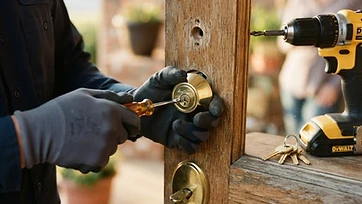
Things to Consider When Installing a Smart Lock System in Your House
October 25, 2026 · DFW Key Master Team · 5 min read
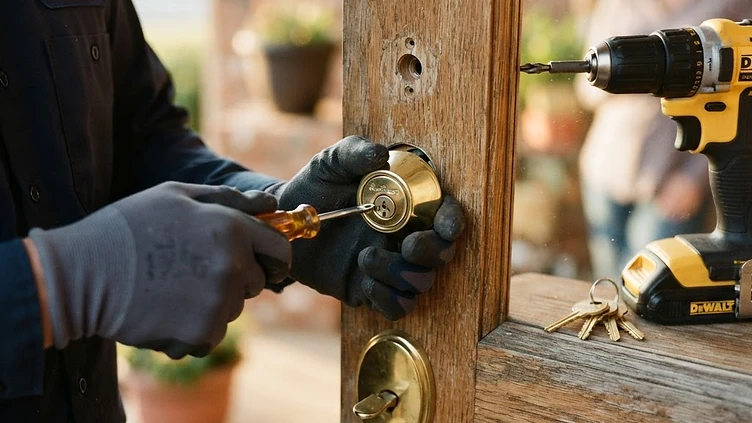
Most smart lock disappointments are decided before the box is opened. The lock arrives, the door isn't compatible, the wifi doesn't reach, or the app turns out to assume one person lives in the house. A short planning pass prevents all three.
Here's what to work through, ideally on paper, before you order.
Start with the door, not the app
The lock has to fit the hole that's already there, and it has to survive the door it's on.
Check these:
- Backset. The distance from the door edge to the center of the hole, usually 2-3/8" or 2-3/4". Most locks handle both, but confirm.
- Door thickness. Standard is 1-3/8" to 1-3/4". Thicker doors need specific hardware.
- Deadbolt versus latch. A smart deadbolt replaces the deadbolt; a smart handle set replaces the lower hardware. Know which you're buying.
- Multipoint and unusual prep. European-style multipoint doors, glass doors and metal commercial doors often need different products entirely.
- Door condition. A door that swells in a Texas summer and binds in the strike is not a good candidate until it's aligned. Adding a heavier lock makes an alignment problem worse.
This is the same set of checks that matters for any electronic lock, which our guide to electronic locks covers in more depth.
Decide what happens when power or batteries fail
Battery smart locks keep working until they don't. Know the warning behavior (beep, app alert, flashing light), how to jump the lock with a 9-volt battery if the terminals are exposed, and where the physical key override is.
If you're considering a hardwired system on an exterior door, ask whether it's fail-safe or fail-secure. Fail-safe unlocks when power drops and belongs on egress doors; fail-secure stays locked and belongs on perimeter doors. Get this wrong and you'll find out during a storm.
Check the connectivity honestly
Wifi-based locks are simple but worth testing: if your front door sits behind a brick wall or a metal storm door, signal can be marginal. Bluetooth-only locks work without a network but require you to be nearby, which means no remote unlock and no entry log until you're close.
Also ask what the lock does during an internet outage. The answer should be: it still locks and unlocks with the keypad or key. If a lock depends on the cloud to function, don't put it on your only entrance.
Plan access before you buy
Write down who needs to get in: family, a cleaner, a dog walker, a contractor, an occasional guest, a neighbor with a spare. Then check how many codes and users the lock supports and whether you can schedule them by day and time.
If you have more than one door, decide whether you want one app for everything or separate locks. Mixing brands means mixing apps, which is fine until you need to revoke access in a hurry.
Rentals and second homes
If you rent, get written permission and keep the original hardware so you can restore it at move-out. If the property is a short-term rental, choose a lock with scheduled codes and an entry log; our guide to securing an Airbnb covers the guest workflow.
Installation: what usually goes wrong
The mechanical install is straightforward if the door prep matches. Where people get stuck:
- The bolt doesn't line up with the existing strike, so the door won't lock.
- The interior and exterior halves don't clamp tightly because the door is thicker than expected.
- The deadbolt fouls the door frame after a week of use, because the strike was never adjusted.
- The keypad is mounted so it collects afternoon sun and fades or fails in August.
Our lock installation service includes adjusting the strike and checking the door alignment, which is the part most DIY installs skip.
One thing people forget: the old key
If the smart lock replaces a deadbolt, decide what happens to the old keys. Anyone who had one still knows your address. That's a reason to rekey the remaining mechanical locks at the same time, so your key schedule doesn't have a gap.
When to call a pro
Call when the door needs adjustment before a lock will fit, when you're installing on more than one door, when the property is a rental or a commercial building, or when a lock has to work reliably for egress. We install and service smart locks across Irving, Grand Prairie, Arlington, Dallas and Fort Worth, and we'll tell you when a mechanical lock is the better choice.
FAQ
Do I need a hub for a smart lock?
Some locks connect directly over wifi; others need a hub or a bridge for remote access. Check the product spec before buying, and check which voice assistants it supports if that matters to you.
Can a smart lock work without internet?
Most will still operate by keypad and key. Remote unlocking, app history and notifications require a connection. That's an acceptable trade-off for many homes; just confirm it before you rely on it.
How often do smart lock batteries need changing?
Typically every six to twelve months, more often on a busy door or an exterior lock in Texas heat. Change them on a schedule rather than waiting for the warning.
Will a smart lock fit my existing door?
Usually, if the backset is standard and the door is 1-3/8" to 1-3/4" thick. Unusual prep, multipoint doors and metal commercial doors need different products.
Check the door first, then buy the lock. Call DFW Key Master at (682) 666-2966 if you want the fit confirmed before you order.